
Your ambition.Now in parallel.
Big ideas deserve more than one terminal.
Bring your AI agents, projects, and tools into one beautiful workspace.
✓ Ready in 1.2s✓ Compiled /app in 682ms✓ Compiled /components in 311ms✓ Compiled /ui in 426ms
// Your next idea starts here.❯
GREAT TOOLS. BETTER TOGETHER.
Keep your favorites.
Expand your possibilities.
Your agents already know how to code.
Give them a place to work together.


Bring your installed CLIs and provider accounts.
A little less juggling.
A lot more building.
For the designer who codes.
The developer who ships.
The idea that won’t leave you alone.
One mind.
Multiple agents.
Work with coding agents side by side. Keep their terminals and conversations together, and stay in the loop.
Illustrative workflow
All your terminals.
Zero tab chaos.
A focused canvas for the shells, sessions, and projects that make things happen.
Big swings.
Separate branches.
Give tasks their own Git worktrees. Explore a new direction while keeping your main project in place.
Your taste.
The final say.
Keep file review, tasks, and previews close. See the work, inspect changes, and decide what comes next.
DON’T JUST PICTURE IT.
Make yourself at home.
Click around. Switch views. Find your flow.
A visual demo of your next workspace.
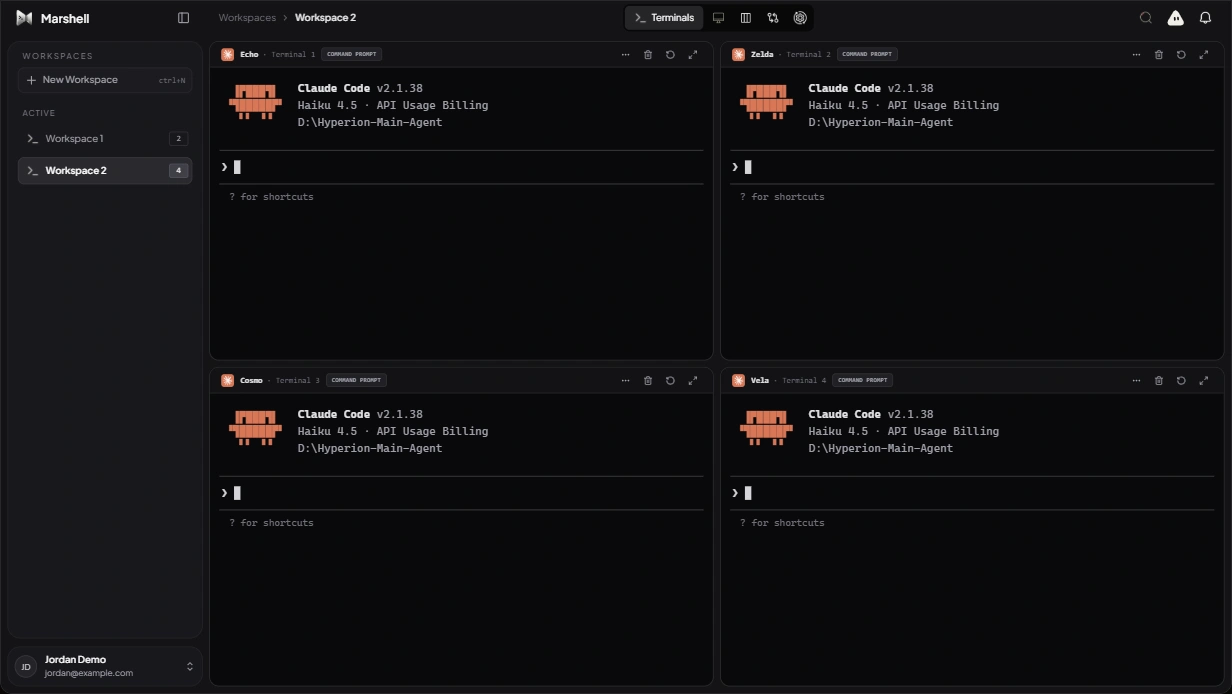
An interactive preview. The real power runs on your desktop. Get the app
A WORKSPACE THAT GETS YOU.
For people with
something to build.
A first prototype. A better developer experience.
The thing you’ve been thinking about all week.
From a spark to something real.
Keep your preview next to your code. Iterate with an agent, inspect the details, and bring your own point of view.
Make it yoursWhat is Marshell?
Marshell is a desktop workspace for building with AI coding agents. Bring your project terminals, agent conversations, task board, file review, and previews into one place.
Can I use the coding agents I already have?
Yes. Run your installed coding CLIs, including Claude Code and Codex, in Marshell’s terminals. Each CLI needs its own installation and provider authentication. You can also configure Marshell AI with a supported provider.
Does my code stay on my machine?
Your project files and native terminals live on your computer. Requests made by a coding agent are handled by the provider you configure, under that provider’s data policies.
Where can I install it?
Head to the download page for the available Windows, macOS, and Linux packages and installation instructions. Native terminals and local project tools run in the desktop app.
YOUR NEXT CHAPTER STARTS HERE.
Think bigger.
Build together.
You bring the ambition. We’ll make room for it.
Get MarshellBuilt for your desktop. Ready for your next idea.